Designed for schools, universities and campuses

We give you
visibility and control
in every campus emergency

ZoneReact lets educational institutions detect, coordinate and fully trace every emergency — from a medical alert on the playground to a lockdown or the evacuation of an entire campus.
5–10s
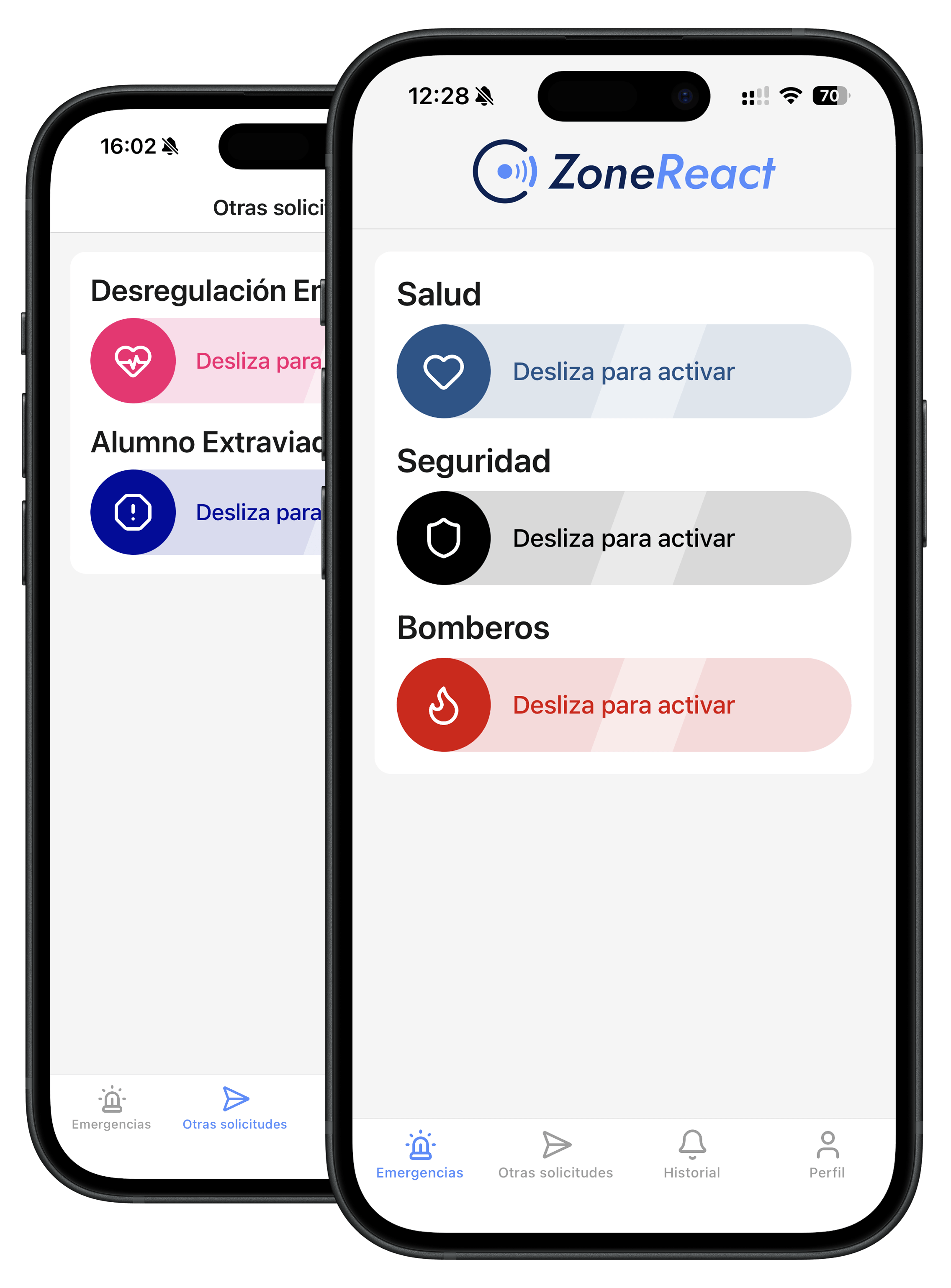
To activate an emergency alert
100%
Traceable and auditable for the authorities
+8
Types of school emergencies supported
24/7
Coverage for day and evening classes
How it works

Everyone informed in 4 steps

From activation to the close of the incident, every step is logged and staff act on accurate information — no phone calls, no confusion.
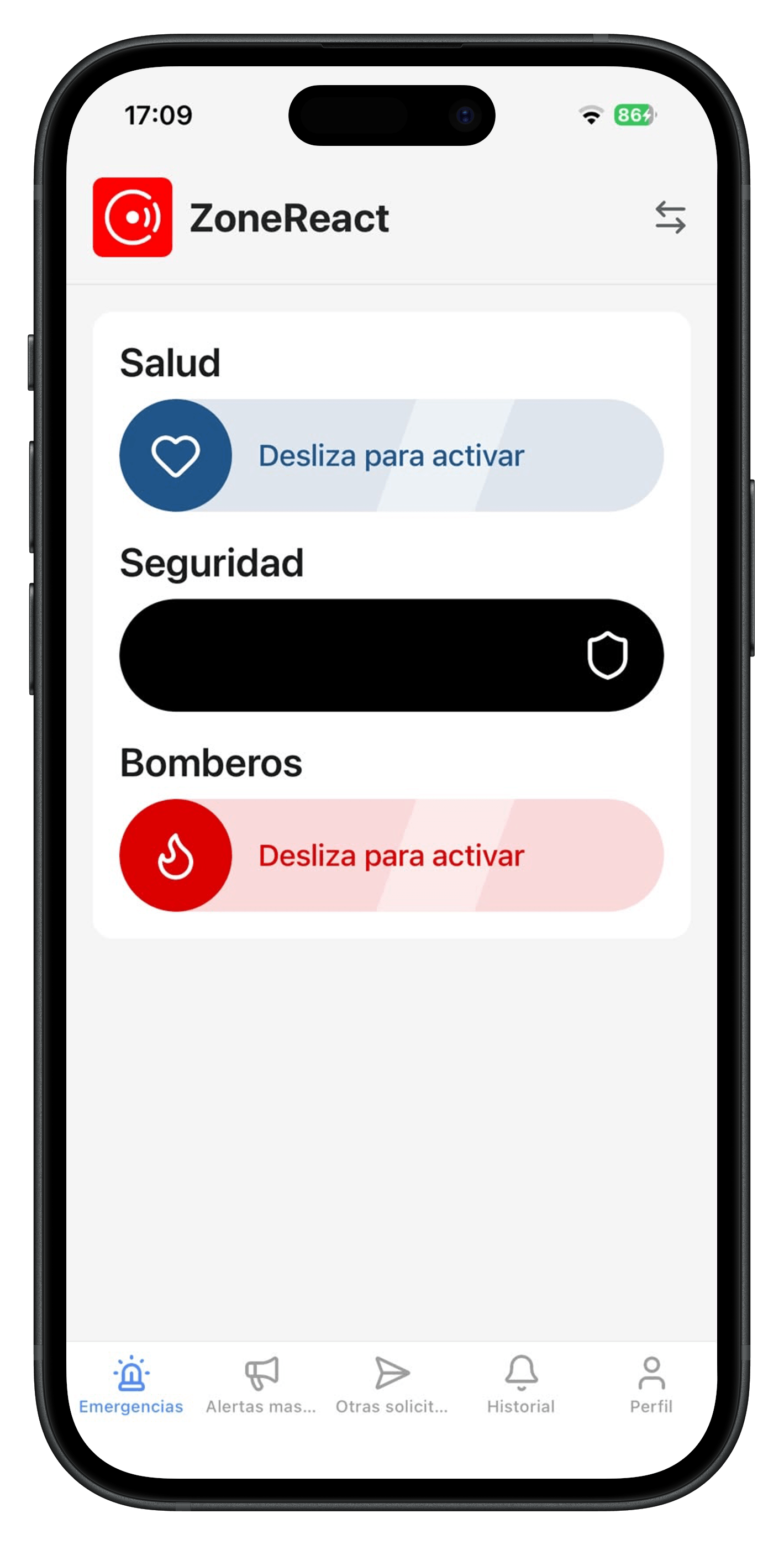
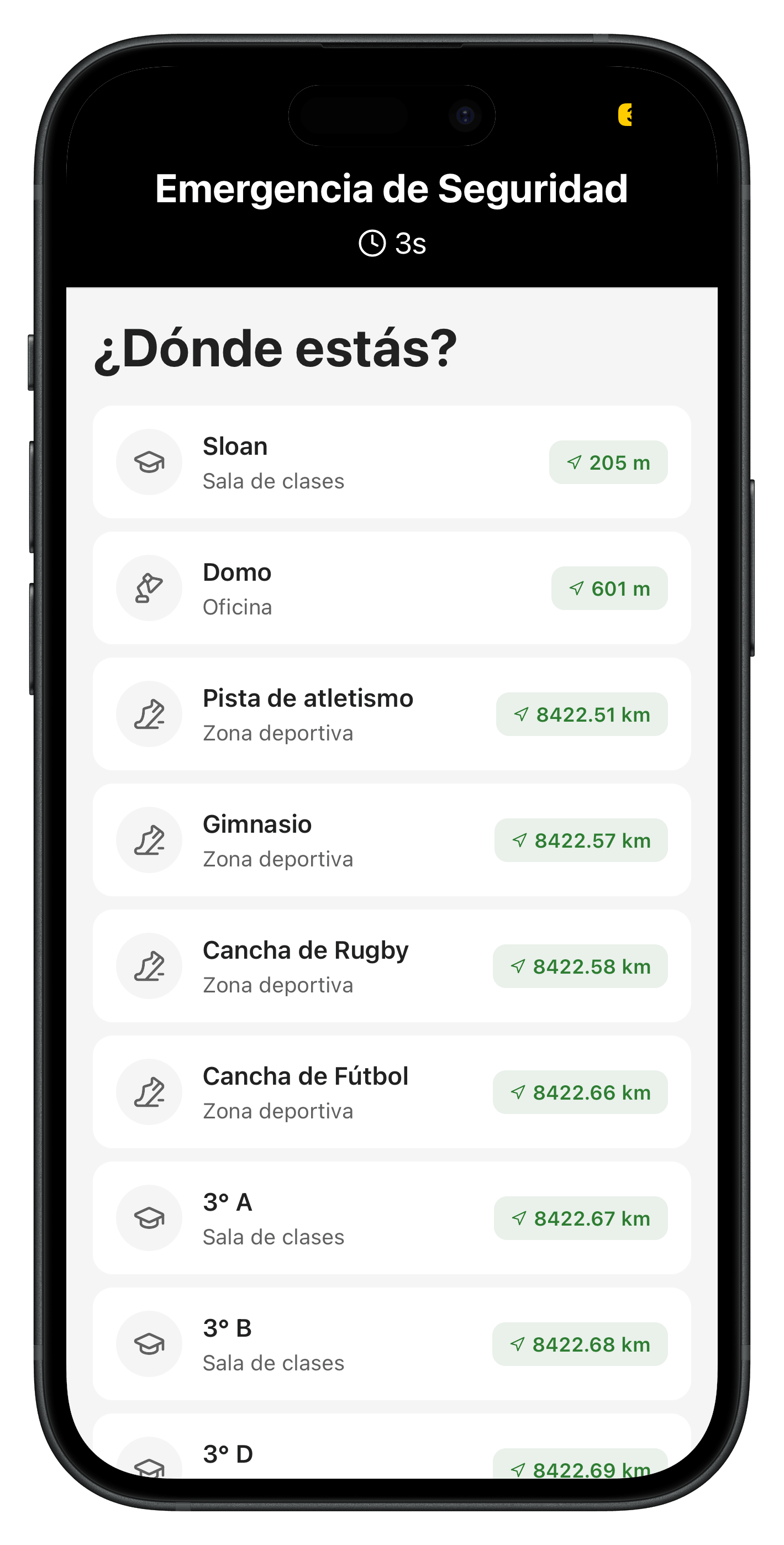
Activate the alert from anywhere on campus
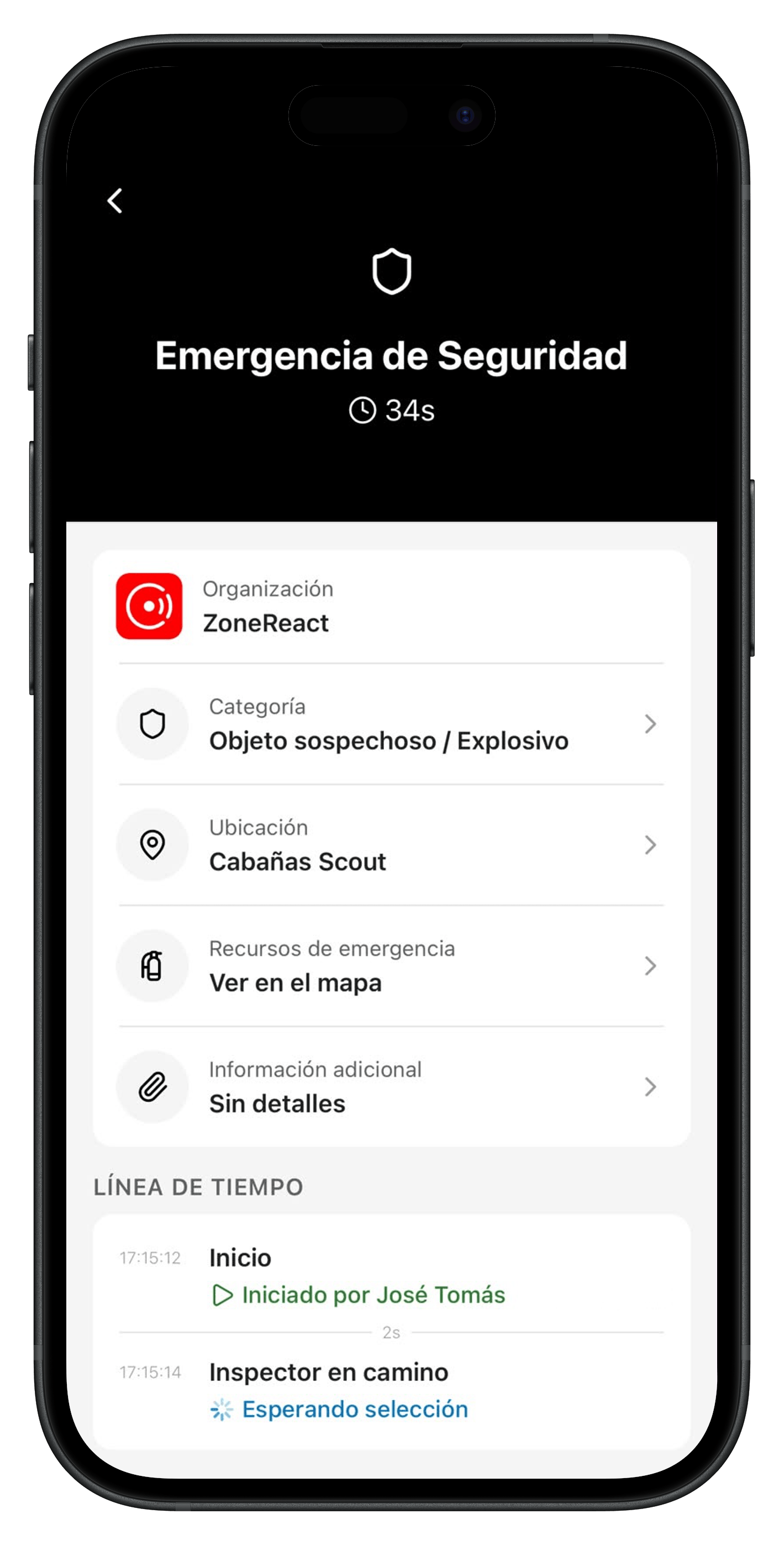
Pinpoint the area of the school
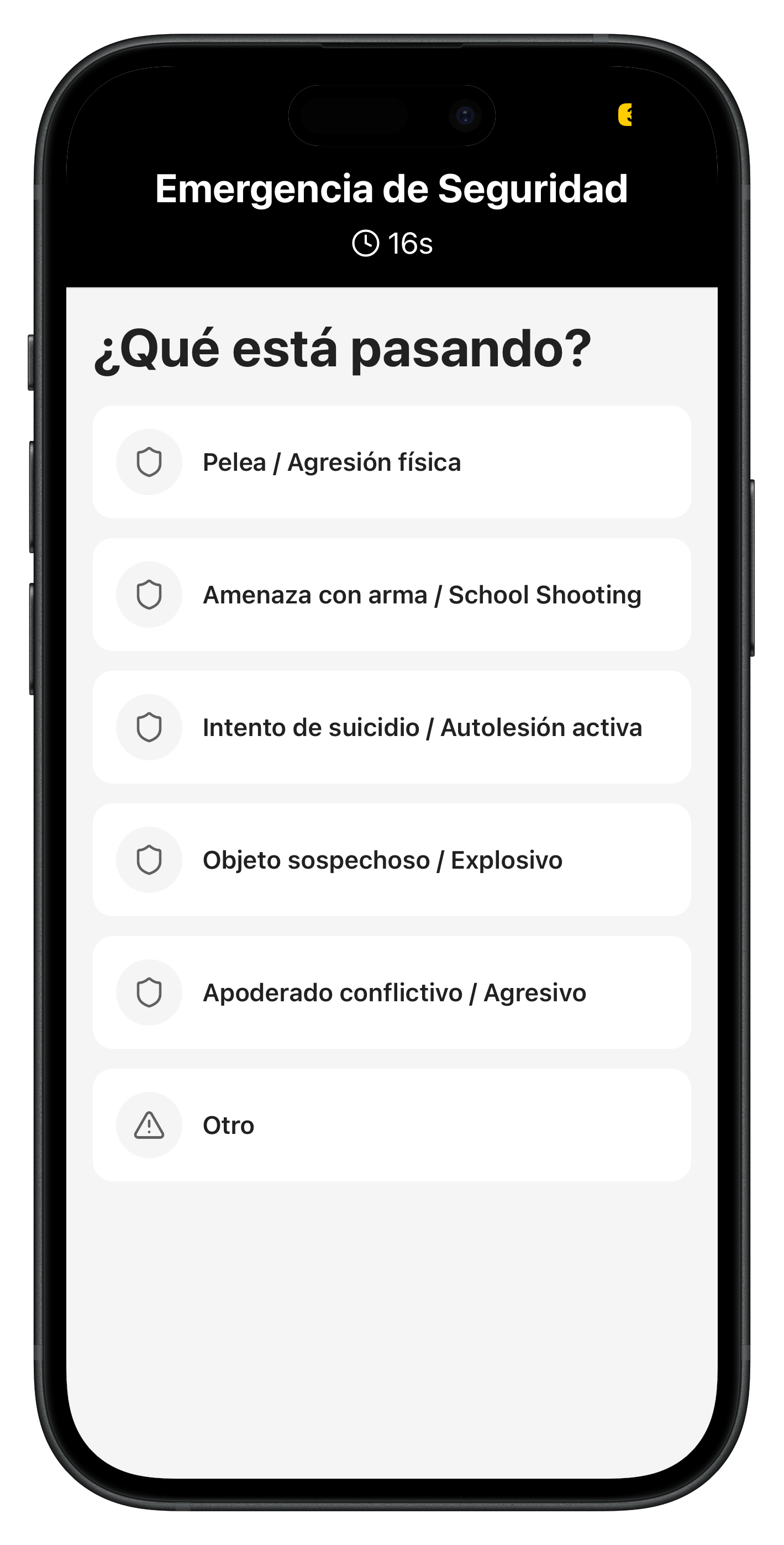
Classify the type of emergency
Follow up until the incident is closed
Full traceability

Replace informal communication

Phone calls and group chats leave no record and guarantee no response. In ZoneReact every report becomes a tracked request, and alerts reach the people who need to act.

Every request is tracked
Clear owners, a status and traceability until it is closed. Nothing gets lost in a chat.
Protocols by alert type
Alerts are routed according to your protocols and the people in charge.
A full history that reveals patterns
Improve your protocols with real data from your organization.
Critical alerts that get through
The system notifies people even when their phones are on silent or do not disturb.
Mass alerts

Mass alerts for your whole community

When you need to evacuate, lock down or respond to an earthquake, notify every user on the premises in seconds with a critical alert.

Evacuation
Send an evacuation alert to every registered device. Use it in a real emergency that requires clearing the premises.
Lockdown
Send a lockdown alert to every registered device. Use it when people must shelter in place immediately.
Earthquake
Send an earthquake alert to every registered device. Use it when a tremor calls for your self-protection protocol.
Rings through silent mode
Every user with the app receives a critical alert that sounds even when their phone is on silent or do not disturb.
People report their status
Each person tells the people in charge that they are safe or, if they are not, activates an emergency.
A record of every alert
Who activated the alert, how long it lasted and who responded are all stored for later review.
Your protocols
Mass alerts are fully configurable: set the message, the sound, who can activate them and the steps that follow, just like any other procedure.

Our high-availability system makes sure the notification reaches every user

Built for the reality of education

Every campus emergency, covered

This is not a generic tool adapted after the fact. ZoneReact was built around the protocols, roles and emergencies that happen at schools, universities and campuses.

Student medical emergencies
The school nurse and the emergency team are notified automatically with the student's location and the type of care needed.
Bullying and behavior incidents
Log and escalate violence or bullying with documented evidence, making it easier to follow your school's conduct and safeguarding protocol.
Coordinated lockdowns
Mass alerts reach every user to activate lockdown protocols across the school or campus.
Drills and evacuations
Log every drill with real times by area. Produce the compliance report without extra manual work.
Lab and workshop incidents
Chemical spills, burns or equipment failures are escalated immediately to health and safety with the right classification.
Traceability for leadership
Every action is logged automatically, with full visibility for school leadership, the district or the university administration.
Everyday requests

For everyday requests too

With ZoneReact your staff can also handle lower-impact requests — cleaning, maintenance and IT issues — in the same system and with the same traceability.
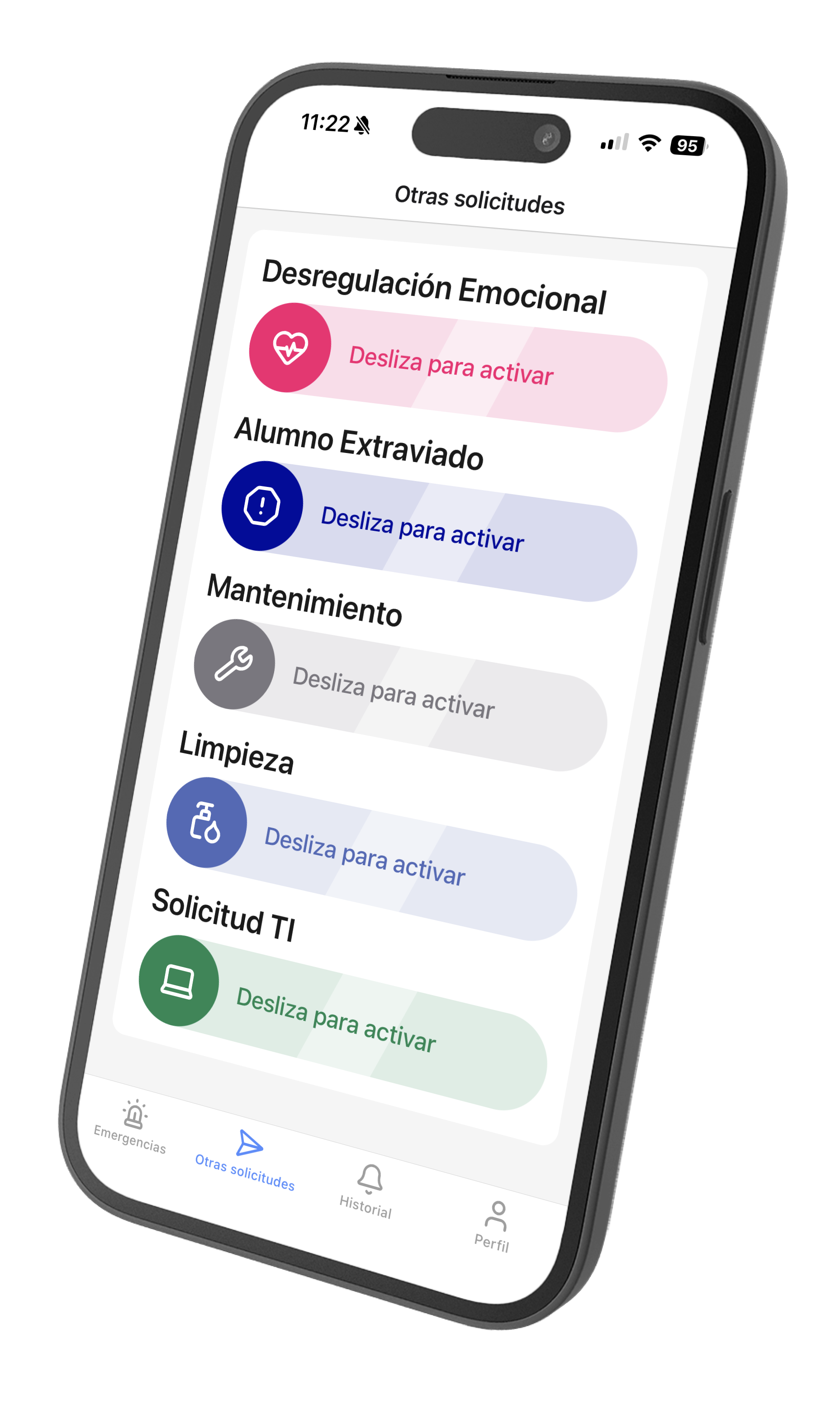
Operational request logged in the app
Cleaning requests
Report classrooms, auditoriums or restrooms that need urgent cleaning, with their exact location. The custodial team confirms from their phone.
Maintenance tickets
Damaged facilities, leaks, broken furniture. Every ticket is logged and assigned, with a resolution status visible to administrators.
IT issues
Projectors, networks, computers. The IT team receives reports sorted by room and priority, without relying on calls or chat messages.
Insights for leadership

Continuous improvement of your protocols

See where your response times fall short, which areas concentrate the most incidents and how to better prepare your team before the next emergency.

Minimum (38s)
P50 (3m 20s)
P90 (6m 52s)
Maximum (12m 22s)
Incidents by school term
How incidents evolve by week, month or term, compared across academic periods.
Team response speed
Real response latency: minimum, maximum, median (p50) and 90th percentile (p90) by emergency type.
Incident resolution status
The split between open, in-progress and closed alerts, to assess your response capacity.
Emergencies by type
How often each category occurs: medical, lockdown, labs, behavior and more.
Patterns by campus area
Incidents grouped by area to spot recurring risks: playground, labs, classrooms, cafeteria.
Highest-risk areas
A ranking of the areas with the most incidents across the institution.
Equipment inventory

Emergency equipment,
always compliant

Digitize your fire extinguishers, AEDs and first aid kits to reach every audit with an up-to-date inventory and evidence gathered during operations, not after.

A digital inventory
Fire extinguishers, AEDs and first aid kits with their location, history and a QR tag you can scan on site.
Stay ahead of expirations
Set the key dates of every item so you never fail an inspection.
Evidence and traceability
Who performed each maintenance task, with auditable dates and times.
School protocol setup

Design your institution's protocols

Set up the exact procedures of your school or university: who activates them, who responds, which steps are followed and how each type of emergency is closed.

01
Define your institution's protocols
Set up the emergency types of your school: medical, lockdown, fire, evacuation, lab.
02
Add the response steps
Define the exact sequence: notify the front office or security, secure the entrances, call an ambulance, inform parents.
03
Assign your first responders
Connect the people in charge: the school nurse, duty staff, security guards, safety officers, leadership.
04
Publish and train your team
The protocol is available in the app of every staff member. No manuals, no paper.
Operational reliability

Secure infrastructure for student data

When the safety of students — minors or adults — is at stake, the platform must always be available and protect your institution's data without compromise.

Sign-in with your institutional email
Only staff with a verified institutional email can operate the system
End-to-end SSL encryption
All incident and student data is encrypted in transit and at rest
Role-based access
Duty staff, the school nurse, security and administrators see only what their role needs
Tamper-proof log
Every action is sealed with date, time and who did it — evidence that cannot be edited afterwards, for the authorities and parents

Request a demo for your institution today

We will show you how ZoneReact adapts to the protocols and structure of your school, university or campus. No commitment, in under 30 minutes.

  • Setup tailored to your institution
  • Training included for your team
  • Priority support